Understanding Dark Web Browsers: What They Are and Why You Need One
A dark web browser is software designed to access websites that standard browsers like Chrome or Safari cannot reach. These browsers—primarily Tor, I2P, and Freenet—route your traffic through encrypted networks to hide your IP address and prevent tracking [1, 11]. The dark web is a subset of the deep web, consisting of sites not indexed by search engines and only accessible through specialty networks like The Onion Router (Tor)2. You need one of these browsers because conventional browsers send your requests directly to websites, exposing your location and identity; dark web browsers break that direct connection by encrypting your traffic and bouncing it through multiple volunteer-run relays before it reaches the destination3.
What Sets Them Apart from Regular Browsers
Tor Browser, the most widely used dark web browser, is built on Mozilla Firefox ESR but has been heavily modified with patches and features that resist online tracking and browser fingerprinting [5, 6]. By default, it keeps no browsing history, cookies expire after a single session, and each website you visit is isolated to prevent third-party trackers from following you across sites [7, 8]. Regular browsers collect data to improve user experience and enable targeted advertising; Tor Browser aims to make all users look identical, preventing websites from identifying you based on your browser configuration or device information3. When you use Tor, observers can see that you're using the network but cannot determine which websites you visit3.
Why You Might Need One
People use dark web browsers for several lawful reasons: accessing ad-free search engines, communicating securely in censored regions, researching sensitive topics without surveillance, and visiting whistleblower platforms4. Using the dark web is legal in the UK, US, EU, and most jurisdictions [13, 14]. While approximately 57% of dark web content is illegal, accessing and using Tor or alternatives does not indicate wrongdoing and carries no legal penalty [14, 15]. The distinction matters: the browser is a tool for anonymity and privacy; what you do with it determines legality. Browsing the dark net alone is not illegal, but consuming, downloading, or purchasing illegal content makes you liable to prosecution5.
For step-by-step installation instructions, see Install Tor Browser: A Step-by-Step Guide.
Key Features to Consider When Choosing a Dark Web Browser
When selecting a dark web browser, four features directly determine whether your identity and activity remain hidden: the routing mechanism, encryption implementation, privacy defaults, and the project's transparency through open-source code.
Routing Mechanism: Onion Routing and Alternatives
Tor Browser uses onion routing, relaying your traffic through three volunteer-run servers and encrypting it three times so that no single relay knows both your identity and your destination3. This architecture means an observer watching your connection sees only that you're using Tor, not which websites you visit3. I2P and Freenet employ different routing models—garlic routing and distributed data stores, respectively—but the principle remains the same: breaking the direct link between you and the site. Without multi-hop routing, a browser cannot hide your IP address from the destination server or from anyone monitoring your network.
Encryption and Default Privacy Settings
Strong encryption protects your data in transit, but privacy settings determine what information your browser leaks before encryption even starts. Tor Browser disables browsing history by default, expires cookies after each session, and isolates every website to prevent third-party trackers from linking your activity across sites [7, 8]. It resists browser fingerprinting by making all users appear identical, standardizing window size, fonts, and JavaScript behaviour [6, 10]. A dark web browser that allows persistent cookies, stores history, or permits unique configurations will expose identifying details despite encrypted routing.
Open-Source Code and Regular Updates
Open-source browsers let independent researchers audit the code for backdoors, vulnerabilities, and privacy flaws. Tor Browser is based on Mozilla Firefox ESR and publishes all modifications, enabling community scrutiny1. Regular updates patch newly discovered security vulnerabilities; outdated software becomes a target for exploits that can de-anonymize users or inject malware. We recommend checking that your chosen browser receives frequent security patches and maintains an active developer community—browsers abandoned for months or years pose unacceptable risk.
Community Support and Documentation
A browser with active forums, official documentation, and responsive maintainers helps you configure settings correctly and troubleshoot issues without compromising anonymity. Tor Browser provides detailed guides on security levels, which disable certain features to protect against attacks but may affect website functionality6. Community support also surfaces warnings about malicious exit nodes, phishing .onion sites, and emerging threats faster than any single user could detect alone.
Top Dark Web Browsers: A Comparative Overview
Tor Browser dominates dark web access because it balances usability, security, and a large volunteer relay network. While alternatives exist—I2P for peer-to-peer applications and Freenet for censorship-resistant publishing—Tor remains the primary choice for most users seeking anonymous browsing of .onion sites [1, 3, 4]. We've compared the three main options below, focusing on what each does differently and when you might choose one over another.
Tor Browser: The Standard for Anonymous Browsing
Tor Browser routes your traffic through three encrypted relays run by volunteers worldwide, hiding your IP address from both the destination site and anyone monitoring your connection3. Built on Mozilla Firefox ESR with privacy-focused modifications, it resists browser fingerprinting by making all users appear identical and isolates each website to block cross-site tracking [5, 6, 8, 10]. By default, it keeps no browsing history and expires cookies after each session1. Tor is the only browser that grants direct access to .onion domains—sites hosted within the Tor network that standard browsers cannot reach2. Most users choose Tor because it requires no configuration, connects in seconds, and supports the widest range of dark web content.
I2P and Freenet: Specialized Alternatives
I2P (Invisible Internet Project) uses 'garlic routing' to bundle multiple messages together, optimizing for peer-to-peer file sharing, email, and chat rather than browsing traditional websites7. Freenet distributes encrypted data across a network of nodes, designed for publishing and retrieving information resistant to censorship rather than real-time web browsing7. Neither I2P nor Freenet can access .onion sites; they operate separate networks with their own addressing schemes. We recommend Tor Browser for general dark web exploration and consider I2P or Freenet only if you need their specific features—decentralized file storage or internal messaging—rather than access to the broader dark web ecosystem.
For detailed setup instructions, see Install Tor Browser: A Step-by-Step Guide.
Security and Privacy: How Dark Web Browsers Protect You
Tor Browser hides your identity through three-layered encryption and relay routing, but no tool eliminates all risk—understanding where protection ends helps you avoid common mistakes that expose your real IP or browser fingerprint.
Multi-Layered Encryption and IP Masking
When you connect to a website through Tor, your traffic passes through three volunteer-run relays, encrypting your data three times so that each relay decrypts only one layer3. The entry node sees your real IP address but not your destination; the middle relay sees neither; the exit node sees the destination but not your IP3. This architecture prevents any single observer from linking you to the sites you visit3. Tor Browser also resists browser fingerprinting by standardizing window size, fonts, and JavaScript behaviour across all users, making it difficult for websites to identify you based on browser configuration [6, 10]. By default, it keeps no browsing history and expires cookies after each session, isolating each website to block third-party trackers [7, 8].
Known Vulnerabilities and Attack Vectors
Exit node compromise remains the most documented risk: because the exit relay decrypts the final layer before forwarding your request to the destination, a malicious operator can read unencrypted traffic—passwords sent over HTTP, for example—or inject malware into downloads. Browser fingerprinting attacks succeed when you resize the Tor Browser window, install extensions, or enable plugins like Flash, creating a unique configuration that websites can track across sessions3. Increasing the Security Level in Tor Browser settings disables JavaScript and certain media features to mitigate these attacks, though this may break website functionality6. We recommend leaving the Security Level at 'Standard' for general browsing and raising it to 'Safer' or 'Safest' only when visiting unfamiliar .onion sites or handling sensitive information.
Practical Steps to Enhance Security
Use HTTPS Everywhere (built into Tor Browser) to encrypt traffic between the exit node and the destination, preventing exit node operators from reading your data. Avoid logging into personal accounts—email, social media, banking—through Tor, as doing so links your real identity to your Tor session. Do not install browser extensions or modify default settings; each change increases the chance that websites can fingerprint your browser [6, 10]. Consider running Tor over a VPN if your threat model includes an adversary who can monitor your internet connection and knows that using Tor itself raises suspicion, though this adds complexity and does not improve anonymity against websites you visit.
Why 'Free' Dark Web Browser Apps Are Often Scams
The Tor Project warns that many apps claiming to be 'Tor Browser' or 'dark web browsers' on unofficial app stores contain malware, track your activity, or fail to route traffic through the Tor network at all. Download Tor Browser only from the official Tor Project website (torproject.org) or verified app stores linked from that site1. Apps promising 'faster Tor' or 'premium anonymity' contradict how the network functions—speed depends on volunteer relay capacity, and no commercial service can bypass that without abandoning the multi-hop routing that provides anonymity3. If an app asks for payment, requests unnecessary permissions, or lacks open-source code, treat it as a scam.
For verified download sources, see Tor Browser Download: Your Complete Guide.
Installation and Basic Usage: Getting Started Safely
Downloading Tor Browser from the wrong source is the fastest way to compromise your anonymity—malicious copies inject malware or fail to route traffic through the Tor network at all, while appearing identical to the legitimate browser.
Download Only from Official Sources
The Tor Project distributes Tor Browser exclusively through torproject.org and verified app stores linked from that domain1. Many apps on unofficial stores claim to be 'Tor Browser' or 'dark web browsers' but contain tracking code, adware, or no Tor routing whatsoever. Before installing, verify the download URL matches torproject.org exactly—phishing sites use similar domains like 'tor-project.com' or 'torprojects.org' to distribute fake versions. On Android, download from Google Play or F-Droid repositories listed on the official site; on iOS, use the App Store link provided by the Tor Project1. We recommend checking the digital signature of desktop downloads using GPG keys published on torproject.org, though this requires additional setup steps detailed in the project's installation guide.
For detailed verification and installation instructions, see Install Tor Browser: A Step-by-Step Guide.
Initial Setup: What to Configure and What to Leave Alone
After installation, Tor Browser opens with default settings that balance usability and anonymity—most users should not change them. The 'Connect' screen lets you choose between connecting directly to Tor or configuring a bridge if your network blocks Tor traffic; select 'Connect' unless you know your ISP censors Tor1. Do not resize the browser window beyond the default dimensions; Tor standardizes window size to prevent fingerprinting, and manual resizing creates a unique identifier websites can track3. Avoid installing extensions or plugins—each addition changes your browser configuration, making you distinguishable from other Tor users [6, 10]. The Security Level remains at 'Standard' by default; raise it to 'Safer' or 'Safest' only when visiting unfamiliar .onion sites, accepting that JavaScript and media features will break on many pages6.
Safe Browsing Practices: What Not to Do
Do not log into personal accounts—email, social media, banking, or any service tied to your real identity—through Tor Browser. Logging in links your Tor session to your identity, negating the anonymity provided by onion routing [9, 11]. Avoid downloading files from unknown .onion sites; malware delivered through Tor can compromise your device just as easily as malware from the clearnet, and Tor does not scan downloads for threats. Do not torrent or use peer-to-peer file-sharing protocols through Tor Browser—these applications leak your real IP address outside the Tor network, and they consume relay bandwidth needed for web browsing3. Keep Tor Browser updated; the Tor Project releases security patches frequently, and outdated versions expose you to known exploits1.
Common Misconceptions and Legal Considerations
Most people assume all dark web activity is illegal—in fact, using Tor Browser or similar tools is legal in the UK and nearly every jurisdiction worldwide [13, 14]. The dark web itself is simply a part of the internet that hides user identity and location, accessible only through specialty networks like Tor or I2P [2, 3]. What determines legality is what you do with the browser, not the browser itself.
The Browser Is Legal; Your Actions May Not Be
Downloading and running Tor Browser breaks no laws—it's a privacy tool developed to resist surveillance and censorship, used by journalists, activists, and ordinary people seeking anonymity [1, 13]. Browsing .onion sites alone carries no legal risk5. The line shifts when you download illegal content, purchase prohibited goods, or engage in activities that would be criminal on the regular internet. Approximately 57% of dark web content is illegal, but accessing the network does not indicate wrongdoing and does not make you liable for what others publish there8. If you consume, download, or distribute illegal material—child exploitation imagery, stolen data, controlled substances—you face prosecution under the same laws that apply to the clearnet5.
What 'Anonymity' Does and Does Not Mean
Tor hides your IP address from websites and prevents observers from seeing which sites you visit, but it does not grant immunity from law enforcement [9, 11]. If you engage in illegal activity, investigators can use operational security mistakes—reusing usernames, logging into personal accounts, or correlating timing patterns—to identify you. Tor provides anonymity, not invisibility; it protects your network traffic, not your behaviour. We recommend treating Tor as a privacy layer that conceals your connection, not as a shield that permits unlawful conduct.
Legal Responsibility Remains Yours
We do not provide legal advice, and nothing in this guide authorizes illegal activity. Using a dark web browser lawfully—researching censored information, communicating privately, or accessing services unavailable in your region—is your right in most countries4. Crossing into criminal conduct is your responsibility, and anonymity tools do not change the legal consequences of your choices.
Common Misconceptions and Pitfalls
Believing Tor Browser Makes You Invincible
Many users assume Tor Browser provides absolute anonymity, making them untraceable. While Tor routes traffic through three encrypted relays to hide your IP address and prevent tracking [1, 11], it does not make you invisible. Advanced adversaries, such as state-sponsored actors, can potentially use sophisticated timing attacks or exploit browser vulnerabilities to de-anonymize users, especially if they control multiple Tor relays3. We advise against engaging in activities that carry severe legal consequences, as Tor reduces risk but does not eliminate it.
Using Tor Browser with Personal Accounts
A common mistake is logging into personal accounts (email, social media, banking) while using Tor Browser. This immediately links your real identity to your Tor activity, defeating the purpose of anonymity. Tor Browser is designed to isolate your browsing sessions and prevent third-party tracking3, but logging into a service that knows your real identity bypasses these protections. We recommend maintaining strict separation: use Tor Browser for anonymous browsing and a conventional browser for personal accounts.
Downloading Tor Browser from Unofficial Sources
A critical error is downloading Tor Browser from third-party websites or unofficial app stores. These sources often distribute modified versions bundled with malware, spyware, or other malicious code that compromises your security and anonymity. The only safe source for Tor Browser is the official Tor Project website (torproject.org) for desktop versions and verified app stores (Google Play, F-Droid) for Android, ensuring the developer is 'The Tor Project'1. We advise always verifying the download source to protect against compromised software.
Your questions, answered
Is the dark web illegal?
No, using the dark web itself is not illegal in most jurisdictions, including the UK, US, and EU [13, 14, 15]. The dark web is merely a part of the internet designed to hide identity and location, and it hosts legitimate services like ad-free search engines and platforms for activists [2, 13]. While approximately 57% of its content is illegal, accessing and using browsers like Tor or I2P does not indicate wrongdoing [14, 15].
How do I access a dark web Browser?
To access the dark web, you need specialized software like Tor Browser, not conventional browsers such as Chrome or Safari7. We recommend downloading Tor Browser only from the official Tor Project website (torproject.org) for desktop or verified app stores like Google Play or F-Droid for Android1. After installation, launch the browser and click 'Connect' to establish an encrypted connection through the Tor network [1, 11].
Where do I find dark web websites?
Dark web websites, often referred to as .onion sites, are not indexed by standard search engines like Google2. You typically find them through directories, forums, or links shared within the dark web community itself. Tor Browser is specifically designed to access these .onion addresses by routing your connection through the Tor network [1, 4].
Key Takeaways
Choosing the right dark web browser involves understanding its core functions and limitations. We've explored how Tor Browser provides anonymity and protects privacy, while also highlighting critical misconceptions and safe browsing practices.
Here are the main points to remember:
Use Tor Browser for Anonymity: Tor Browser is the primary tool for accessing the dark web and maintaining anonymity, routing your traffic through three encrypted relays [1, 11].
Download from Official Sources Only: Always download Tor Browser from the official Tor Project website (torproject.org) or verified app stores to avoid malware1.
Avoid Personal Accounts and Extensions: Never log into personal accounts or install browser extensions in Tor Browser, as these actions compromise your anonymity [6, 10].
Dark Web Use is Not Inherently Illegal: Using Tor Browser or accessing the dark web is legal in most jurisdictions; illegality stems from unlawful actions performed while browsing [13, 14, 15].
Maintain Default Settings: Keep the Tor Browser window at its default size and avoid modifying settings that could create a unique browser fingerprint3.
Your next step should be to understand the setup process: review our guide on Install Tor Browser: A Step-by-Step Guide.
Bibliography
- About Tor Browser - Getting started - Tor Browser — Tor
- Dark web | CGA
- Tor Project | Anonymity Online
- Security guidance for dark web leaks (ITSAP.00.115) - Canadian Centre for Cyber Security
- BSI - Dark net and deep web - Dark net and deep web: shedding light on the dark
- Security levels - Features - Tor Browser — Tor
- What's the dark web?
- Understanding the dark web
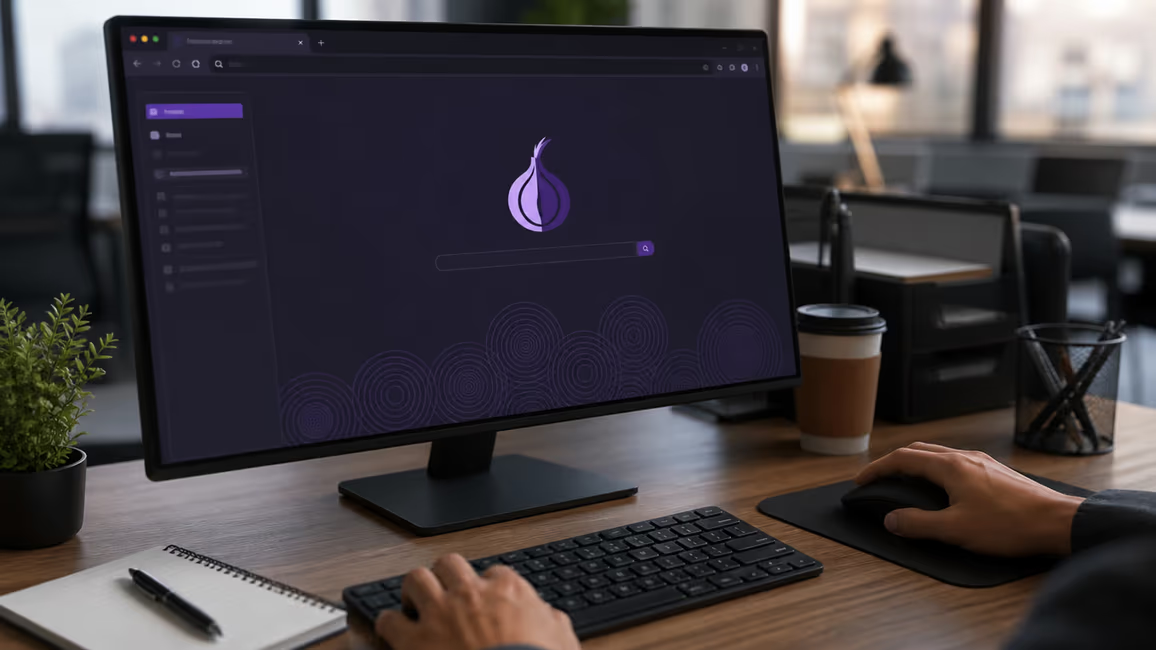
Explore More on Dark Web Browsing
Discover additional resources and insights to enhance your journey.
Visit Our Resources