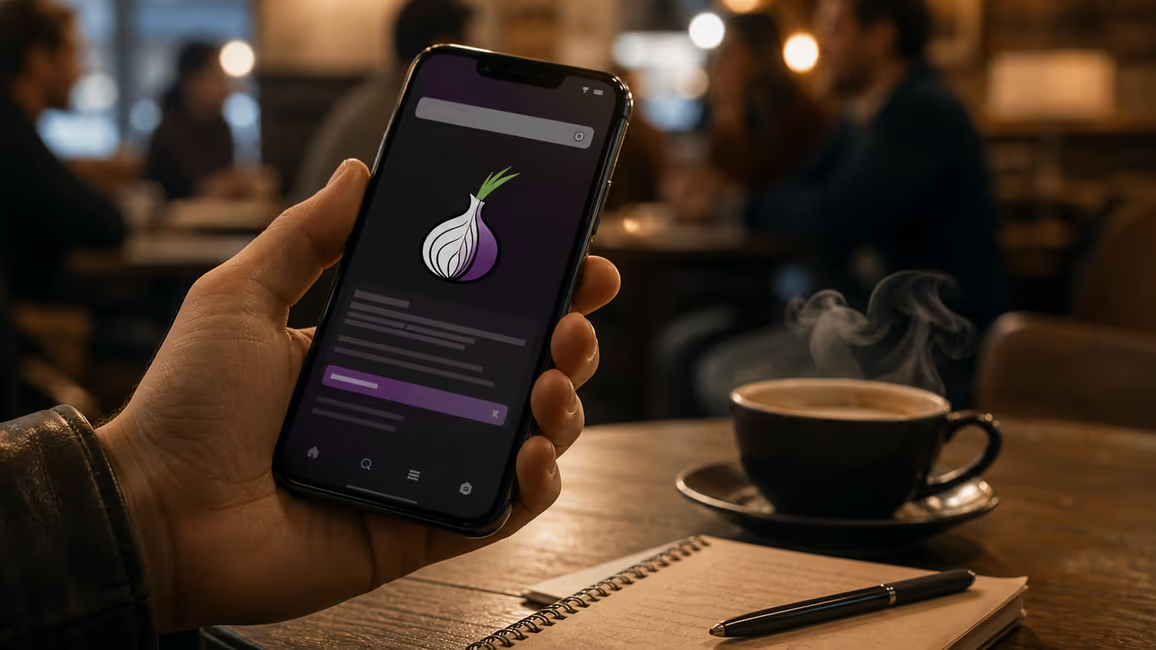
What is the Onion Browser?
Onion Browser is a free, open-source web browser for iOS devices that connects to the Tor network to enhance online privacy1. It encrypts internet traffic and routes it through three relays globally before reaching its destination2. The Tor Project recommends it as the closest alternative to the official Tor Browser for iPhone users3.
The browser exists because Apple does not permit the official Tor Browser on iOS. Due to Apple's restrictions, Onion Browser must use the UIWebKit or WKWebView rendering engine, unlike desktop and Android Tor Browser which use Firefox Gecko2. This architectural difference creates specific security trade-offs we examine throughout this overview.
How Onion Routing Works
When you request a webpage through Onion Browser, your traffic passes through three randomly selected Tor relays before exiting to the public internet. Each relay decrypts one layer of encryption—hence the 'onion' metaphor—but never sees both your identity and your destination. The entry relay knows your IP address but not where you're going; the exit relay sees your destination but not who you are. This separation prevents any single point from linking you to your browsing activity.
Key Features and Limitations
Onion Browser offers script blocking, automatic cookie and tab clearing, and user agent spoofing to fight online tracking4. Recent updates (version 3.X) now tunnel all traffic, including audio and video streams, through Tor5. Previously, only traffic within the app itself was protected; network traffic outside Onion Browser still uses the normal connection2.
The browser became free of charge after previously costing £0.726. It includes experimental NoScript-like functionality and support for obfs4 and meek bridges, which help circumvent network censorship6.
Using Onion Browser does not guarantee security or privacy on its own2. A flaw in Apple's Webkit engine, revealed on 5th August 2026, can expose users' real IP addresses even when using Onion Browser, prompting a recommendation to avoid it for highly sensitive browsing until fixed7. For the most secure connection, users are advised to install Orbot, which can shore up some security holes in how iOS handles video and audio and better protect IP addresses7.
For a broader understanding of the network infrastructure Onion Browser relies on, see Tor Web: Understanding the Basics.
How the Onion Browser Works: A Technical Overview
Onion Browser routes your traffic through three distinct Tor relays—an entry node, a middle relay, and an exit node—before it reaches the destination server2. Each relay decrypts one layer of encryption, revealing only the next hop in the circuit, never both your identity and your final destination. This layered approach prevents any single relay from linking your IP address to the site you visit.
The Three-Relay Circuit
When you request a webpage, Onion Browser first encrypts your data in three nested layers. The entry node receives your encrypted request, strips the outer layer to discover the middle relay's address, and forwards the packet. The middle relay decrypts the next layer to find the exit node, then passes the data along. Finally, the exit node removes the last layer and sends your request to the destination server in plaintext—or encrypted again if the site uses HTTPS.
The entry node knows your real IP address but not where you're going. The exit node sees your destination but not who you are. The middle relay sees neither endpoint. This separation means no single relay holds enough information to de-anonymise you.
Encryption Layers and IP Masking
Each layer of encryption corresponds to one relay. Before your data leaves your device, Onion Browser wraps it three times: the innermost layer for the exit node, the middle layer for the middle relay, and the outermost layer for the entry node. As the packet hops through the circuit, each relay peels off its designated layer, revealing only the next relay's address. Your IP address is masked at the first hop and never appears in subsequent relays or at the destination.
Directory Servers and Circuit Selection
Tor directory servers maintain a list of available relays, their bandwidth, and their current status. Onion Browser queries these directories to build a random circuit for each new connection. The directories do not see your browsing activity—they only publish relay information. This distributed architecture ensures no central authority controls the network or knows which circuits you use.
Key Features and Functionalities
Onion Browser offers script blocking, automatic cookie and tab clearing, and user agent spoofing to fight online tracking4. These controls let you decide which scripts run on a page—blocking JavaScript by default prevents many tracking techniques and reduces fingerprinting surface. The browser also clears cookies and tabs automatically when you close the app, removing persistent identifiers that advertisers use to follow you across sessions.
Circuit Management and IP Rotation
Each time you open a new connection, Onion Browser builds a fresh circuit through three randomly selected Tor relays. You can force a new circuit manually by tapping 'New Identity' in the settings, which discards the current circuit and assigns a different exit node. This rotation changes your apparent IP address and geographic location, making it harder for websites to correlate your sessions. Circuits typically remain active for ten minutes before the browser rotates them automatically, balancing anonymity against connection stability.
Access to .onion Sites
Onion Browser allows you to visit .onion sites—hidden services hosted within the Tor network that never touch the public internet1. These addresses are only reachable through Tor and do not require an exit node, meaning your traffic stays encrypted end-to-end within the network. This access is central to exploring resources on the dark web, where .onion domains provide both anonymity for the host and the visitor.
Self-Contained and Portable
Onion Browser tunnels all traffic within the app itself; network activity outside the browser—such as other apps or system services—uses your normal connection and is not protected2. Recent updates (version 3.X) now tunnel audio and video streams through Tor, closing a gap where media could leak your IP address5. This self-contained design means you can use Onion Browser alongside regular apps without routing all device traffic through Tor, though it also means you must stay within the app to maintain protection.
Using the Onion Browser Safely: Best Practices
Onion Browser provides tools to enhance privacy, but using it does not guarantee security or anonymity on its own2. We recommend treating it as one layer in a broader approach—what you do within the browser matters as much as the encryption it provides.
Avoid Personal Information and Logins
Do not log into accounts tied to your real identity while using Onion Browser. Signing into email, social media, or banking services links your Tor session to your real-world identity, negating the anonymity the network provides. If you must access an account, create a separate identity used only through Tor, with credentials that do not reference your name, location, or other accounts.
Disable Scripts and Block Tracking
Enable the experimental NoScript-like mode to block JavaScript by default6. Scripts can fingerprint your device, exploit browser vulnerabilities, or reveal your IP address through WebRTC leaks. Blocking scripts reduces your attack surface and limits tracking techniques that advertisers use to correlate sessions. Some sites will break without JavaScript—re-enable it selectively for trusted domains only, weighing functionality against exposure.
Use HTTPS Everywhere
Always verify that sites use HTTPS, especially at the exit node. The exit relay sees unencrypted HTTP traffic in plaintext, including passwords and session tokens2. HTTPS encrypts the final hop between the exit node and the destination server, preventing exit operators from reading or modifying your data. Onion Browser cannot enforce HTTPS on every site—you must check the address bar and avoid entering sensitive information on HTTP pages.
Avoid Downloading Files from Unknown Sources
Files downloaded through Onion Browser can contain malware or metadata that reveals your identity. PDFs, images, and documents often embed timestamps, software versions, and device identifiers. Opening these files outside the browser—particularly with default applications—can trigger network requests that bypass Tor and expose your real IP address. If you must download a file, open it in a sandboxed environment or on a separate device disconnected from your primary network.
Understand the Webkit Vulnerability
A flaw in Apple's Webkit engine, revealed on 5th August 2026, can expose users' real IP addresses even when using Onion Browser7. The vulnerability affects how iOS handles certain web content, allowing adversaries to bypass Tor's protections. We advise avoiding Onion Browser for highly sensitive browsing until Apple patches the flaw. For the most secure connection, install Orbot alongside Onion Browser—Orbot shores up security holes in how iOS handles video and audio and better protects IP addresses7.
Know the Legal Context
Using Tor is legal in the United Kingdom and most jurisdictions, but accessing certain content or services may not be. UK law does not prohibit anonymity tools, yet authorities monitor Tor exit nodes and can investigate illegal activity conducted through the network. Some countries block Tor entirely—if you travel or reside in a restrictive region, using Onion Browser may draw attention or violate local regulations. Check your jurisdiction's stance on encryption and anonymity tools before relying on Onion Browser for sensitive tasks. For more on the legal landscape, see Is the Dark Web Illegal? Myths and Facts Explained.
Avoid Browser Plugins and Extensions
Onion Browser does not support third-party plugins, but if you use other browsers alongside it, disable extensions that can leak data or fingerprint your device. VPN extensions, password managers, and ad blockers often send telemetry or modify HTTP headers in ways that make your traffic identifiable. On iOS, system-level restrictions already limit plugin behaviour, but the principle remains: fewer add-ons mean fewer points of failure.
Onion Browser vs. Other Privacy Tools (VPNs, Proxies)
Onion Browser, VPNs, and proxy servers all mask your IP address, but they differ in how they route traffic, who can see your activity, and which threats they defend against. Onion Browser routes your connection through three random Tor relays, encrypting data in nested layers so no single relay knows both your identity and your destination2. A VPN encrypts your traffic and sends it through a single server operated by the VPN provider, replacing your IP address with the server's address. A proxy forwards your requests through an intermediary server without encryption, changing your apparent location but leaving your data readable to the proxy operator.
Anonymity and Trust Models
Onion Browser distributes trust across thousands of volunteer-run relays—no single entity controls the network or logs your full path2. VPNs require you to trust one company with your real IP address, browsing history, and payment details. If the provider logs your activity or complies with a legal request, your anonymity collapses. Proxies offer even less protection: most operate without encryption, and many log connections or inject advertisements into your traffic.
For deep anonymity—when you need to hide both your identity and your destination from observers—Onion Browser is the strongest option. VPNs excel at general security tasks: encrypting public Wi-Fi traffic, bypassing geographic content blocks, or protecting your ISP from seeing which sites you visit. Proxies suit lightweight tasks like accessing region-locked content when you do not need encryption or anonymity.
Encryption and Exit Points
Onion Browser encrypts your data three times before it leaves your device, with each relay peeling off one layer2. The exit node decrypts the final layer and sends your request to the destination—if the site uses HTTP, the exit operator can read your traffic. VPNs encrypt all traffic between your device and the VPN server, then forward it to the destination; the server sees your unencrypted requests. Proxies typically do not encrypt anything, leaving your data exposed to the proxy operator and anyone monitoring the connection.
Speed and Usability
Onion Browser routes traffic through three relays in different parts of the world, adding latency at each hop. Connections are slower than direct browsing—expect delays loading pages, and avoid bandwidth-heavy tasks like streaming video. VPNs route traffic through one server, usually closer to your location, so speeds remain near your baseline connection. Proxies add minimal overhead but offer no encryption, making them faster than Tor yet less secure than VPNs.
Use Cases
Use Onion Browser when you need to visit .onion sites, protect your identity from network observers, or access the dark web without revealing your IP address to hidden services1. Use a VPN for everyday tasks: encrypting your connection on untrusted networks, hiding your browsing history from your ISP, or accessing content restricted by geography. Use a proxy only for low-stakes tasks like bypassing a simple regional block, and never enter passwords or sensitive information through an unencrypted proxy.
Onion Browser and VPNs are not mutually exclusive—some users run a VPN before connecting to Tor, hiding their Tor usage from their ISP. This setup adds complexity and does not improve anonymity within the Tor network itself, but it prevents your ISP from knowing you use Tor. Conversely, routing a VPN through Tor (Tor-over-VPN) hides your VPN usage from your ISP but exposes your VPN traffic to Tor exit nodes, which may log or tamper with it.
Accessing .onion Sites and Onion Services
.onion sites are hidden services hosted entirely within the Tor network—they never connect to the public internet and are only reachable through Tor-enabled browsers like Onion Browser1. Unlike standard domains that resolve through DNS and exit the Tor network at an exit node, .onion addresses remain encrypted end-to-end within the network. Both the visitor and the host stay anonymous: the server does not learn your IP address, and you do not learn the server's physical location. This architecture makes .onion services central to the dark web, where anonymity protects both publishers and users from surveillance, censorship, and retaliation.
How to Access .onion Sites
Open Onion Browser and enter the .onion address directly into the address bar—these URLs end in '.onion' rather than '.com' or '.org'. The browser routes your request through three Tor relays, then connects to the hidden service's introduction points within the network2. You do not need to configure anything beyond installing the app; Onion Browser handles the cryptographic handshake and circuit construction automatically. Because .onion traffic never exits the Tor network, you avoid the exit node vulnerability where an operator could read unencrypted HTTP traffic.
Benefits for Publishers and Users
For publishers, .onion services resist censorship—governments and ISPs cannot block a site they cannot locate or monitor. Whistleblowing platforms, activist networks, and independent news outlets use .onion addresses to operate in hostile jurisdictions without revealing server locations or risking physical raids. For users, visiting an .onion site hides your IP address from the service itself, unlike clearnet sites where the server logs your connection. This mutual anonymity protects both parties: a journalist can submit documents to a news organisation without the organisation learning the journalist's identity, and the organisation can publish without exposing its infrastructure to attackers.
Legitimate Uses of .onion Sites
Major organisations run .onion mirrors to offer censorship-resistant access to their services. The BBC operates an .onion site for readers in countries that block its clearnet domain. ProPublica and The New York Times maintain .onion versions to protect sources and readers from surveillance. Privacy-focused email providers and messaging platforms offer .onion endpoints to prevent traffic analysis and metadata collection. Academic researchers use .onion sites to share datasets and collaborate without institutional oversight. These examples demonstrate that .onion services serve legal, socially valuable purposes—anonymity tools are not inherently linked to illegal activity, despite common misconceptions explored in What Can You Find on the Dark Web? An Overview.
Common Misconceptions and Limitations
Onion Browser strengthens privacy, but it does not make you invisible—and believing otherwise creates dangerous blind spots. We see three persistent myths: that Tor guarantees complete anonymity, that it exists only for illegal activity, and that installing the app alone protects you. Each misunderstands how the network operates and where responsibility for security lies.
Myth: Onion Browser Makes You Completely Anonymous
Onion Browser routes your traffic through three relays and encrypts each hop, hiding your IP address from the destination and your destination from your ISP2. It does not hide your behaviour. Logging into a personal account, entering your real name, or visiting sites in a pattern that matches your offline routine can identify you even when your IP address stays hidden. The Webkit vulnerability revealed on 5th August 2026 shows that software flaws can bypass Tor's protections entirely, exposing your real IP address to adversaries7. Onion Browser provides features that may enhance privacy and anonymity—it does not guarantee security or privacy on its own2.
Myth: Tor Is Only for Illegal Activities
Journalists, activists, researchers, and ordinary users rely on Tor to protect their communications from surveillance and censorship. The BBC, ProPublica, and The New York Times operate .onion sites to serve readers in restrictive countries. Using Onion Browser is legal in the United Kingdom and most jurisdictions—what matters is the content you access and the actions you take, not the tool itself. Associating Tor exclusively with crime ignores its role in defending free speech and investigative reporting. For a broader view of legal considerations, see Is the Dark Web Illegal? Myths and Facts Explained.
Limitation: Speed and Usability
Routing traffic through three relays in different parts of the world adds latency at each hop2. Pages load slower than direct connections, and bandwidth-heavy tasks—streaming video, downloading large files—become impractical. This trade-off is inherent to the network's design: anonymity requires distributing your traffic across volunteer-run nodes, and speed suffers as a result. If you need fast connections for everyday browsing, Onion Browser is not the right tool.
Limitation: Exit Node Attacks
When you visit a clearnet site over HTTP, the exit node decrypts the final layer of encryption and forwards your request in plain text. The exit operator can read your traffic, inject malicious code, or log your activity. HTTPS mitigates this risk by encrypting the connection between the exit node and the destination, but not all sites support it. Visiting .onion services avoids exit nodes entirely—traffic stays within the Tor network and remains encrypted end-to-end1.
Limitation: iOS-Specific Constraints
Apple's restrictions force Onion Browser to use the UIWebKit or WKWebView rendering engine, unlike desktop and Android Tor Browser which use Firefox Gecko2. This engine handles certain web content in ways that can leak data or bypass Tor's protections, as the Webkit flaw demonstrates7. Installing Orbot alongside Onion Browser shores up security holes in how iOS handles video and audio and better protects your IP address7. Even with Orbot, Onion Browser cannot match the desktop Tor Browser's security guarantees—the Tor Project recommends it as the closest possible alternative for iPhone users, not an equivalent3.
User Behaviour Remains Critical
Onion Browser tunnels traffic within the app itself; network activity outside Onion Browser uses your normal connection and is not protected2. If you open a link in Safari, check email in a standard mail client, or allow an app to sync data in the background, those connections bypass Tor and expose your IP address. Disable JavaScript for sensitive browsing, avoid logging into personal accounts, and never download files from unknown sources. Anonymity depends on disciplined behaviour—technology alone cannot protect you from mistakes.
Common Misconceptions and Limitations
Onion Browser strengthens privacy, but it does not make you invisible—and believing otherwise creates dangerous blind spots. We see three persistent myths: that Tor guarantees complete anonymity, that it exists only for illegal activity, and that installing the app alone protects you. Each misunderstands how the network operates and where responsibility for security lies.
Myth: Onion Browser Makes You Completely Anonymous
Onion Browser routes your traffic through three relays and encrypts each hop, hiding your IP address from the destination and your destination from your ISP2. It does not hide your behaviour. Logging into a personal account, entering your real name, or visiting sites in a pattern that matches your offline routine can identify you even when your IP address stays hidden. The Webkit vulnerability revealed on 5th August 2026 shows that software flaws can bypass Tor's protections entirely, exposing your real IP address to adversaries7. Onion Browser provides features that may enhance privacy and anonymity—it does not guarantee security or privacy on its own2.
Myth: Tor Is Only for Illegal Activities
Journalists, activists, researchers, and ordinary users rely on Tor to protect their communications from surveillance and censorship. The BBC, ProPublica, and The New York Times operate .onion sites to serve readers in restrictive countries. Using Onion Browser is legal in the United Kingdom and most jurisdictions—what matters is the content you access and the actions you take, not the tool itself. Associating Tor exclusively with crime ignores its role in defending free speech and investigative reporting. For a broader view of legal considerations, see Is the Dark Web Illegal? Myths and Facts Explained.
Limitation: Speed and Usability
Routing traffic through three relays in different parts of the world adds latency at each hop2. Pages load slower than direct connections, and bandwidth-heavy tasks—streaming video, downloading large files—become impractical. This trade-off is inherent to the network's design: anonymity requires distributing your traffic across volunteer-run nodes, and speed suffers as a result. If you need fast connections for everyday browsing, Onion Browser is not the right tool.
Limitation: Exit Node Attacks
When you visit a clearnet site over HTTP, the exit node decrypts the final layer of encryption and forwards your request in plain text. The exit operator can read your traffic, inject malicious code, or log your activity. HTTPS mitigates this risk by encrypting the connection between the exit node and the destination, but not all sites support it. Visiting .onion services avoids exit nodes entirely—traffic stays within the Tor network and remains encrypted end-to-end1.
Limitation: iOS-Specific Constraints
Apple's restrictions force Onion Browser to use the UIWebKit or WKWebView rendering engine, unlike desktop and Android Tor Browser which use Firefox Gecko2. This engine handles certain web content in ways that can leak data or bypass Tor's protections, as the Webkit flaw demonstrates7. Installing Orbot alongside Onion Browser shores up security holes in how iOS handles video and audio and better protects your IP address7. Even with Orbot, Onion Browser cannot match the desktop Tor Browser's security guarantees—the Tor Project recommends it as the closest possible alternative for iPhone users, not an equivalent3.
User Behaviour Remains Critical
Onion Browser tunnels traffic within the app itself; network activity outside Onion Browser uses your normal connection and is not protected2. If you open a link in Safari, check email in a standard mail client, or allow an app to sync data in the background, those connections bypass Tor and expose your IP address. Disable JavaScript for sensitive browsing, avoid logging into personal accounts, and never download files from unknown sources. Anonymity depends on disciplined behaviour—technology alone cannot protect you from mistakes.
Your questions, answered
Onion Browser download
Onion Browser is available for download on iOS devices through the App Store. It is a free, open-source web browser that connects to the Tor network [1, 11]. For enhanced security, we advise installing Orbot alongside it to better protect your IP address and handle media streams7.
Onion Browser for iPhone
Onion Browser is specifically designed for iOS devices and is the closest alternative to the official Tor Browser for iPhone users, as recommended by The Tor Project [1, 2]. Due to Apple's restrictions, it uses the UIWebKit or WKWebView rendering engine, which differs from the Firefox Gecko engine used by desktop Tor Browser2. We recommend installing Orbot to mitigate some iOS-specific security limitations, particularly concerning video, audio, and IP address protection7.
Tor Browser vs Onion Browser
Tor Browser is the official client for desktop and Android, utilizing the Firefox Gecko engine for enhanced security and privacy. Onion Browser is the recommended alternative for iOS, but it is constrained by Apple's UIWebKit or WKWebView engine, which can introduce different security considerations [2, 4]. While both connect to the Tor network, the desktop Tor Browser generally offers stronger security guarantees due to its underlying engine and fewer platform-specific limitations [2, 9].
Is Tor Browser free
Yes, Tor Browser is free and open-source. Similarly, Onion Browser, its iOS counterpart, became free of charge after previously costing $0.99 [1, 11]. This commitment to free access aligns with the Tor Project's mission to provide privacy tools to a broad audience.
Key Takeaways
Onion Browser offers a pathway to enhanced privacy on iOS, but it requires careful use and an understanding of its limitations. We recommend these points:
Onion Browser does not guarantee complete anonymity. Your actions and online behavior remain critical to maintaining privacy2.
The browser is legal for general use in the UK. Its primary purpose extends beyond illegal activities, supporting free speech and journalism.
Expect slower performance. The Tor network's design prioritizes anonymity over speed, making bandwidth-intensive tasks impractical2.
User discipline is essential. Activity outside the Onion Browser app is not protected, and personal logins can compromise anonymity2.
Consider Orbot for iOS. Installing Orbot alongside Onion Browser can address some iOS-specific security constraints, particularly for video and audio streams7.
To further understand how the network functions, we suggest exploring Tor Web: Understanding the Basics.
Bibliography
- What is the Tor Browser, and what is it used for? - Surfshark
- Onion Browser
- Tor in Practice: What It's For, What It Can Do, and Its Limitations - VSX.is | The Digital World Under Your Control
- Onion Browser App - App Store
- OnionBrowser/OnionBrowser
- Tor at the Heart: Onion Browser (and more iOS Tor) | The Tor Project
- How to: Use Tor on Android and iPhone | Surveillance Self-Defense
Explore More About Online Privacy
Discover additional resources to enhance your privacy online.
Browse Resources